Product update: Order Form Manager is our active product focus. Innovra DINE is secondary and is not under active development. Restaurant workflows in this guide are provided for information.
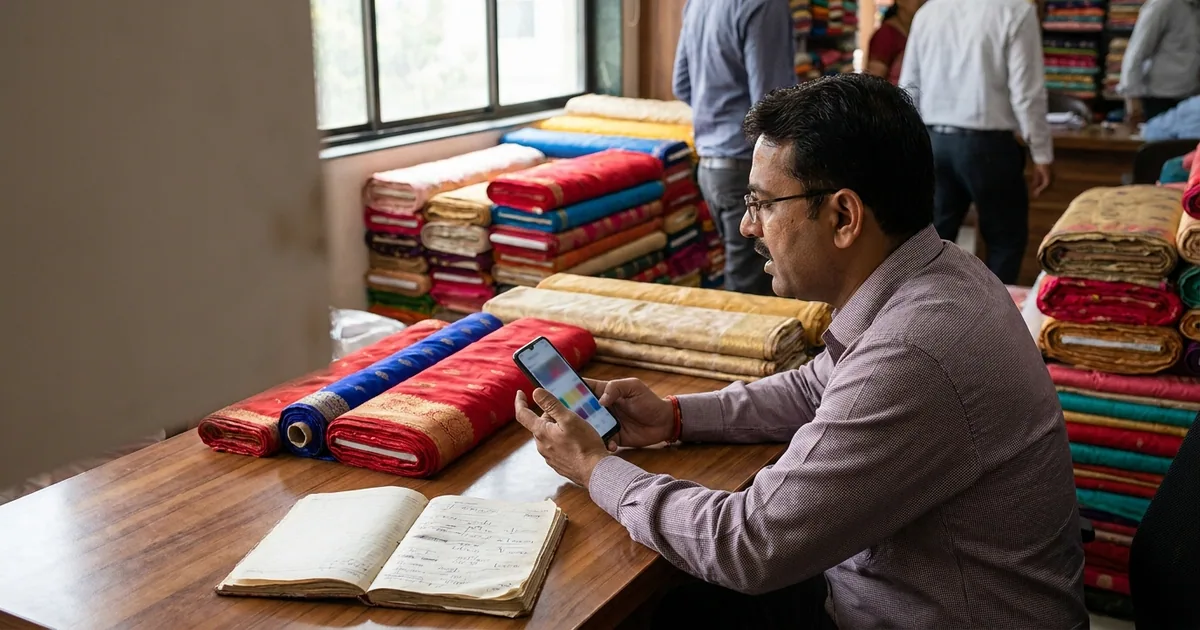
Every evening around 9:00 PM, thousands of Indian small business owners sit down with a stack of paper slips, bound register books, and carbon sheets. A textile agent in Surat cross-checks handwritten order notes taken during mill visits against WhatsApp chats. A food court counter manager tallies pen-marked paper Kitchen Order Tickets (KOTs) against cash box collections. A wholesale trader in Chandni Chowk re-enters handwritten buyer slips into accounting software to prepare GST invoices.
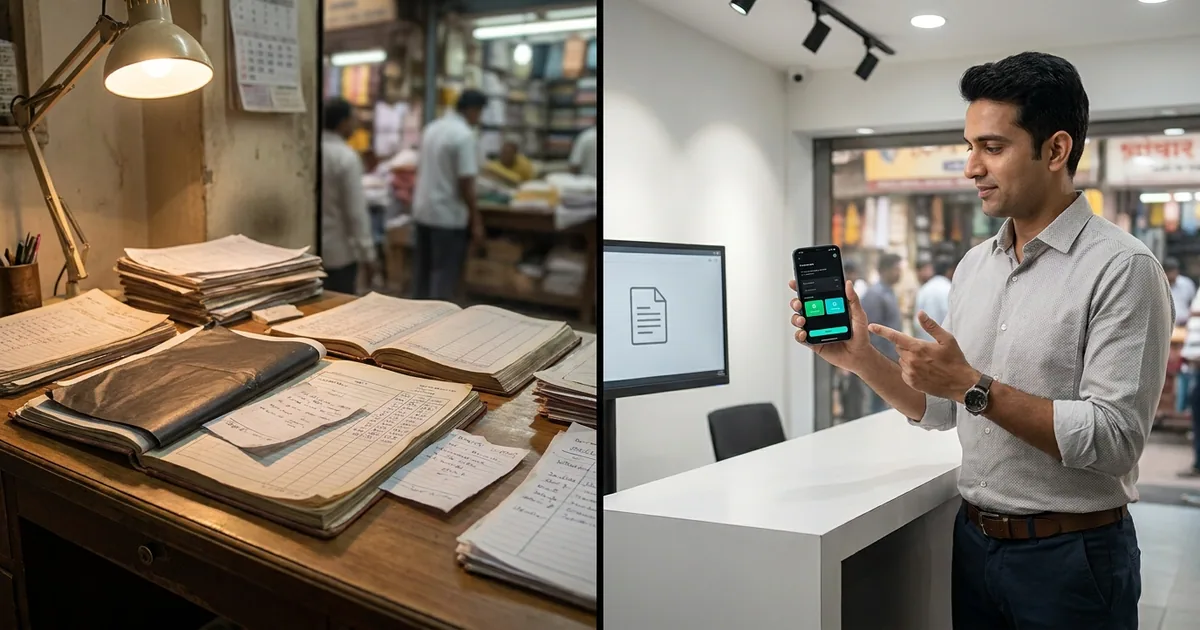
This manual process feels free because physical notebook costs are negligible. However, the true operational expense is paid daily in misplaced order sheets, wrong shade codes dispatched to mills, missing items in kitchen preparation, delayed GST billing, and hours spent resolving manual entry mismatches.
Transitioning to paperless order management does not require buying enterprise IT systems or hiring dedicated computer operators. It simply means replacing paper pads and loose registers with structured digital forms on standard Android smartphones, enabling non-technical field staff, waiters, and billing clerks to record clean, accurate orders from day one.
The Hidden Cost of Paper Registers in Daily Operations
In a high-velocity trading or food service environment, paper registers introduce silent operational friction at every stage of the transaction.
Manual Paper Workflow:
Field/Floor Entry (Pen & Paper) ➔ Physical Slip Transfer ➔ Manual Billing Re-entry ➔ Nightly Reconciliation

Paperless Digital Workflow:
Mobile Entry (Preset Masters) ➔ Instant Digital Routing (KOT / WhatsApp) ➔ Automated GST Billing Log
Misread Handwriting and Wrong Specifications
A handwritten figure taking seconds to scribble often leads to hours of correction down the line:
- In Textile Trading: A field agent handwrites shade number "104" on a carbon slip. The mill clerk misreads it as "109" and dispatches 500 meters of incorrect fabric. The buyer rejects the delivery, the agent loses commission, and freight costs double.
- In Restaurants: A waiter scribbles "No Garlic / Less Spicy" on a paper KOT pad. During a 9:00 PM rush, the kitchen cook misreads the pen mark or loses the slip under a hot pass counter, resulting in a remade dish and an unhappy customer.
Data Silos and Re-keying Bottlenecks
Paper records isolate information at the point of capture. To bill a customer or account for sales, that information must be typed into another system later.
When a wholesale trader writes 20 order slips during market hours, someone must type those exact details (party name, item description, quantity, rate, and GST rate) into billing software at the end of the day. This double entry introduces typos, slows down dispatch times, and delays invoice generation.
Lost Slips and Untracked Orders
Paper slips travel across physical spaces: from a sales counter to a store room, or from a restaurant table to a kitchen pass. In busy environments, slips get misplaced, grease-stained, or accidentally discarded. When an order slip disappears, the business loses both inventory accuracy and revenue visibility until end-of-day tallying.
What Paperless Order Management Looks Like on the Ground
Implementing paperless order management converts unstructured paper notes into clean, structured digital entries at the exact moment an order is taken.
Instead of writing on a blank notebook page, staff select from preset dropdowns on a mobile screen:
- Customer / Party Name: Auto-selected from a saved directory with pre-linked GSTIN details.
- Item & Variant Selection: Tap-to-select items with fixed catalog descriptions, rate lists, and shade/unit options.
- Automated Order Summary: Quantities and calculations are computed instantly without manual arithmetic.
- One-Click Instant Sharing: Orders generate clean digital PDFs that are sent to buyers, suppliers, or kitchen displays immediately over WhatsApp or local networks.

To see how field staff book orders in under 30 seconds using structured digital sheets, watch the brief product overview: Watch 30s Order Form Manager Overview on YouTube
Replacing Kitchen Slips: The Restaurant Workflow
Food courts, fine dining outlets, and QSR counters operate under intense time pressure. Manual paper handling during peak meal hours directly bottlenecks kitchen speed and table turnover.
+-----------------------------------------------------------------------------+
| Innovra DINE - Mobile Ordering Interface                                    |
| Light / Dark Mode System Display                                            |
+-----------------------------------------------------------------------------+
| [ Table 04 ]  [ Guests: 4 ]                             [ Active Order ]    |
| --------------------------------------------------------------------------- |
| Selected Items:                                                             |
|  1x Paneer Butter Masala (Medium Spicy) ...................... Rs. 320     |
|  4x Butter Naan ............................................. Rs.  160     |
|  1x Fresh Lime Soda (Salted) ................................ Rs.   90     |
| --------------------------------------------------------------------------- |
| Subtotal: Rs. 570  |  CGST (2.5%): Rs. 14.25  |  SGST (2.5%): Rs. 14.25        |
| Total Payable: Rs. 598.50                                                   |
| --------------------------------------------------------------------------- |
| [ + Add Items ]           [ Send to Kitchen (KOT) ]         [ Print Bill ]  |
|   (#0d9488)                    (#0d9488 Button)               (#0d9488)     |
+-----------------------------------------------------------------------------+
UI Workflow Concept: Dark mode interface (#09090b) with emerald cyan action buttons (#0d9488) for live KOT routing and split billing.
Step 1: Order Capture at Table or Counter
Floor waiters or counter captains select table numbers or order types directly on an Android smartphone or tablet. Alternatively, customers scan a QR code at the table to view the digital menu and place their selection.

Step 2: Instant Kitchen Order Ticket (KOT) Routing
When the order is saved, it routes directly to the specific kitchen department display or thermal ticket printer (e.g., Chinese station, Tandoor counter, or Bar) without anyone walking paper slips across the dining room.

Step 3: Centralized Manager Dashboard and Instant Billing
The front counter billing terminal instantly mirrors table additions, item modifications, and live order statuses. When the guest finishes dining:
- Bills print immediately with pre-calculated CGST and SGST breakdowns.
- Split billing and discount overrides are applied digitally without manual scratch-outs.
- Daily register closings auto-calculate cash, UPI, and card payments without hand-tallying paper slips.
See the complete restaurant ordering workflow in action: Watch Innovra DINE Product Demo Video on YouTube
Replacing Order Books: The Textile Trader Workflow
Textile markets in Surat, Ahmedabad, Mumbai, and Delhi run on field agents visiting weavers, process houses, and buyer shops. Agents historically rely on thick carbon-copy order books to record fabric qualities, shade selections, bale counts, and payment terms.
Textile Order Capture Pipeline:
Agent Field Entry ➔ Master Party / Item Match ➔ PDF Generated ➔ Distributed to Mill & Buyer via WhatsApp
The Field Ordering Process with Structured Digital Forms
When a textile agent or trading representative meets a party, they open dedicated business software for Indian SME operations to complete a structured order log:
- Party Selection: Select the buyer from a structured directory containing saved addresses, GSTIN numbers, and credit terms.
- Supplier / Mill Assignment: Choose the weaving unit or process house responsible for fulfilling the order.
- Item Specifications: Select fabric quality (e.g., 60x60 Cotton, Rayon 14kg), shade numbers, cut lengths (Thans), and total meters.
- Terms & Rates: Enter rate per meter, agreed discount structures, and dispatch preferences.

The order entry screen: party and supplier details, transport and destination, and a structured item table for quality, description, quantity and rate, captured once, exported to WhatsApp in one tap.
Instant Multi-Party WhatsApp Distribution
The moment the agent taps "Save", the system converts the order sheet into a clean PDF document.
The agent immediately forwards the digital order copy via WhatsApp to:
- The Buyer: For instant confirmation of rates and shade numbers.
- The Mill/Supplier: For immediate packing and dispatch queueing.
- The Agent Office: For record-keeping and commission tracking.
Watch the complete operational walkthrough for textile agents and wholesale traders: Watch Full Order Form Manager Video Demo on YouTube
Step-by-Step Transition Plan for Non-Technical Field Staff
Moving from manual paper registers to a digital workflow does not require technical expertise. Field staff and floor captains who use basic smartphones for messaging can master digital order entry within a few hours when following this step-by-step rollout plan:
Transition Timeline:
Phase 1: Master Setup (Day 1) ➔ Phase 2: Form Prep (Day 2) ➔ Phase 3: Parallel Run (Days 3-5) ➔ Phase 4: Full Digital (Day 6+)
Step 1: Clean and Upload Master Data (Day 1)
Gather existing party registers and price lists. Import clean master data into your order system:
- Buyer/Party directory with phone numbers and GSTINs.
- Product catalogs with standardized item codes, shade lists, and unit types (meters, pieces, kg).
- Tax structures (5%, 12%, 18% GST rates linked to specific items).
Step 2: Configure Simple Touch Forms (Day 2)
Keep mobile interfaces minimalist. Remove non-essential fields so field agents only interact with clear, mandatory inputs:
- Party Name (Dropdown / Search)
- Item Code & Variant
- Quantity & Rate
- Delivery Date & Special Remarks
Step 3: Run Parallel Operations for 3 Days (Days 3-5)
Allow non-technical staff to book orders on mobile forms while keeping paper books as a temporary backup.
- Compare evening totals generated by the software against physical paper entries.
- Identify common field errors (e.g., selecting the wrong shade or missing transport details).
- Address staff questions regarding form selections.
Step 4: Fully Retire Paper Registers (Day 6 Onward)
Once staff comfortably navigate smartphone dropdowns, stop issuing physical paper order pads and carbon books. Make digital order generation the single standard for dispatching orders or sending items to kitchens.
Paper Registers vs. Digital Order Management
| Operational Dimension | Manual Paper Registers | Paperless Order Management |
|---|---|---|
| Order Entry Speed | Slow (Handwriting full descriptions, shade numbers, terms) | Fast (Selecting from preset dropdowns and master catalogs) |
| Data Accuracy | High error rate from poor handwriting and math mistakes | High accuracy via structured selection and auto-calculations |
| Information Transfer | Physical slip delivery or photo attachments via messaging | Instant digital routing (Direct to KOT, Mill, or WhatsApp PDF) |
| GST Readiness | Delayed (Manual typing required at billing terminals) | Immediate (Party GSTIN and HSN rates logged at entry) |
| Order Tracking | Scattered across physical books, carbon copies, and chats | Centralized digital history accessible by order or party |
| Staff Adaptability | Requires pen-and-paper writing and manual mental math | Tap-and-select smartphone forms requiring zero IT skills |
Ensuring GST Readiness and Zero-Friction Accounting Integration
Indian trade and food operations require accurate tax handling at every step. Transitioning to digitize small business operations eliminates the end-of-month scramble to align handwritten sales notes with accounting platforms.
Accounting Data Flow:
Digital Order Entry (HSN & Rate Applied) ➔ Checked Master GSTIN ➔ Validated Sales Log ➔ One-Click CSV Export for Tally
Direct Master Validation
Using GST ready order software ensures that tax rules are applied at the time of order booking rather than after delivery:
- HSN/SAC Code Alignment: Every item in the catalog is hard-linked to its corresponding tax slab (e.g., 5% on cotton fabrics or dining, 18% on specific trading goods).
- GSTIN Verification: Buyer profiles store validated GSTIN details. Intra-state transactions automatically calculate CGST and SGST, while inter-state bookings format as IGST.
- Error Prevention: Rates, discounts, and taxable amounts calculate automatically, eliminating manual math errors on customer invoices.
End-of-Day Exports for Billing and Tally
Instead of typing hundreds of paper slips into Tally or billing engines, managers export consolidated daily order logs in standard Excel or CSV formats. These structured logs feed directly into accounting workflows, keeping stock registers, sales accounts, and GST ledger accounts up to date without extra data entry.
Frequently Asked Questions
Do staff need English proficiency or technical skills to use paperless systems?
No. Order management apps designed for non-technical Indian trade staff use simplified search layouts, icon-driven buttons, and auto-complete dropdowns. If floor captains or field agents know how to make calls and send WhatsApp messages on an Android smartphone, they can learn to log digital orders within 30 minutes.
What happens if internet connectivity drops during mill visits or market hours?
Purpose-built SME tools allow field staff to log orders offline. Order forms store locally on the mobile device and automatically sync, generate PDFs, and route messages as soon as cellular data or Wi-Fi reconnects.
How does paperless software handle party-specific discounts and custom rates?
Master directories allow businesses to assign fixed rate tiers or party-specific discounts directly to buyer profiles. When an agent selects a buyer, the software automatically applies their agreed pricing structure, preventing field staff from offering unauthorized rates.
Can we generate GST-compliant invoices directly from logged orders?
Yes. Digital order forms capture required tax attributes: HSN codes, party GSTINs, rate breakdowns, and item quantities. Once an order is confirmed, it converts directly into a final GST-compliant bill or export file ready for accounting software.
How long does it take to train floor waiters or field sales representatives?
Because touch-friendly forms restrict entry to pre-configured catalog items and drop-down fields, most operators train their floor staff or field agents in a single 30-minute session. Running a dual-mode workflow for 2 to 3 days builds complete operational confidence.
Next Steps for Your Business
Moving away from manual paper registers removes operational bottlenecks, eliminates double-entry errors, and gives trade and restaurant managers real-time control over daily sales.
Review your current daily operations. Count the physical order slips generated across your counters, floor tables, or field sales routes, and calculate the time spent re-keying those slips into accounting books at night.
For textile and trading workflows, explore Innovra Order Form Manager. Innovra DINE is a secondary product and is not under active development.