At 6:00 PM every evening, textile agency offices in hubs like Surat, Ahmedabad, Bhilwara, and Mumbai experience a predictable operational bottleneck. Field salesmen return with physical order books, WhatsApp feeds flood with handwritten slips from buying parties, and phones ring continuously with traders checking transport status. Before the day ends, your office staff must gather every single order booked across dozens of buying parties and convert them into clear, mill-wise dispatch instructions.
When this consolidation relies on manual entry, copying lines from paper slips or text messages into a master register or spreadsheet, errors happen routinely. A missing zero on meterage, a transposed design number, an incorrect shade code, or a forgotten GST number can halt a shipment at the mill or cause a party to reject a bale at the destination. Worse, when dispatch instructions arrive late at the mill office, your orders miss the evening lorry loading schedules, pushing deliveries back by a full day.
Automating the daily textile dispatch sheet directly from a centralized fabric order booking system removes the manual retyping stage entirely. By capturing structured order details at the exact moment a sale is booked, textile agents can instantly generate clear, mill-specific dispatch summaries with a single click.
The Manual Dispatch Bottleneck in Textile Commission Agencies
Commission agents and textile traders sit between two demanding operational sides: the buying party (wholesalers, garment manufacturers, or retailers) and the manufacturing mill or processing house. Every order booked contains a high volume of granular specifications that must be communicated to the mill without alteration.
[Field Salesman / WhatsApp Order]
             │
             ▼
[Manual Evening Retyping into Ledger / Excel] ──► (Errors: Wrong shade, missed bale count)
             │
             ▼
[Delayed Mill Dispatch Instructions] ───────────► (Missed transport cut-offs, delivery delays)
How order details get scrambled between party and mill
A standard fabric order is rarely a simple line item. A single order for a rayon or cotton quality typically includes multiple design numbers, distinct shade listings, varied fold/packing preferences, specific meterage per lump, agreed rates, discount terms, and preferred transport carriers.
When office staff sit down at the end of the day to compile a dispatch instruction for a specific mill, they must read handwritten slips or piece together long WhatsApp chat threads. Common friction points include:
- Misread Shade Codes: A handwritten "Shade 14" read as "Shade 19" leads to unmarketable fabric arriving at the buyer’s warehouse.
- Incomplete Delivery Terms: Missing transport details mean the mill holds the consignment or dispatches through an unapproved carrier, causing freight rate disputes.
- Unverified Credit Limits: Orders sent to the mill for parties who have crossed their bill payment limits, leading to mill holds after grey fabric has already been folded or cut.
The late-evening consolidation rush
Mills operate on strict production and transport schedules. To ensure fabric is packed, billed, and handed over to local transport tempos or long-distance logistics operators (such as V-Trans or ARC) for night departures, dispatch sheets must reach the mill dispatch manager by a set cut-off time, often between 6:30 PM and 7:30 PM.
When agency clerks spend two hours manually sifting through order registers, grouping items by mill name, and typing out separate emails or WhatsApp messages for each mill, instructions arrive late. Mills prioritize orders received earlier with clear documentation. Late dispatch instructions mean your party's goods sit on the packing floor until the following evening's shipment cycle.
Anatomy of an Error-Free Daily Textile Dispatch Sheet
A textile dispatch sheet serves as a binding instruction to the mill’s packing and dispatch department. It must provide unambiguous directions on what to roll, cut, pack, bill, and ship.

To prevent downstream operational disputes, every generated dispatch sheet must contain the specific data points outlined below.
1. Header Information
- Agency Details: Agency name, agent code, and contact person.
- Dispatch Date: The exact date the order must be processed by the mill.
- Mill / Processor Name: The specific production unit or grey coordinator receiving the instruction.
2. Party & Billing Identification
- Full Registered Party Name: Eliminating informal nicknames or local abbreviations that confuse mill billing departments.
- Party GSTIN: Essential for e-way bill generation and tax invoice accuracy.
- Station / Destination: The city or mandi where the goods are heading (e.g., Cuttack, Ichalkaranji, Kanpur).
3. Product & Technical Specifications
- Quality / Sort Number: The precise fabric specification (e.g., 60x60 Rayon, 40s Cambric, 10kg Slub).
- Design & Shade Details: Specific design numbers paired with exact shade codes and piece breakdowns.
- Quantity Units: Clear distinctions between meters, yards, lumps (thans), or bales.
4. Commercial & Freight Details
- Contracted Rate: Final agreed rate per meter or kilogram, noting whether GST is extra or inclusive.
- Payment Terms: Agreed credit days or payment-against-delivery terms.
- Designated Transport: Exact name of the transport agency, booking station, and freight payment terms (Paid/To-Pay).
From WhatsApp Slips to a Central Order Booking System
Many agencies rely on WhatsApp because field agents and traders are used to messaging. However, raw chat messages lack structure. A message saying "Send 10 bales 60x60 to Vardhman Jaipur transport rate 82" leaves open critical questions: Which design? Which shades? Is GST extra? What is the full registered party name for GST billing?
RAW MESSAGING (Fragile)
"Send 10 bales 60x60 to Vardhman Jaipur rate 82"
  └── Missing design numbers, shade breakdown, GSTIN, and exact transport unit.

STRUCTURED DIGITAL CAPTURE (Reliable)
Party: Vardhman Fabrics Jaipur (GST: 08AAAAA...)
Quality: 60x60 Rayon (Sort #4012) | Design: D-102 | Shades: 3, 5 | Qty: 10 Bales | Rate: ₹82/m + GST
  └── Immediately ready for automated mill-wise grouping and instant dispatch.
Using a dedicated fabric order booking system like Innovra Order Form Manager replaces unstructured chat notes with standardized digital order entry.
Standardizing data capture at the source
When an agent or field salesperson opens a digital order form on their phone or tablet, they do not write freeform text. They select from pre-set dropdown menus and verified master directories:
- Party Selection: Selecting "Vardhman" automatically pulls up the registered party name, GSTIN, destination mandi, and default transport preference.
- Product Selection: Choosing a mill automatically filters and presents only the active qualities, sort numbers, designs, and shades associated with that specific mill.
- Structured Quantities: The salesperson enters exact bale or lump counts, and the system automatically calculates meterage based on standard packing norms for that sort.
Because data is validated at the moment of entry, your office staff no longer spend late afternoons calling salesmen to clarify scribbled notes or missing shade codes.
How Automated Mill-Wise Consolidation Works Step-by-Step
When orders are captured digitally throughout the day, generating dispatch sheets ceases to be a manual copy-paste task. Instead, it becomes a programmatic grouping operation.
┌─────────────────────────────────────────────────────────────────────────┐
│                       DAYTIME ORDER CAPTURE                             │
│ Order #101 (Mill A) │ Order #102 (Mill B) │ Order #103 (Mill A)         │
└──────────────────────────────────┬──────────────────────────────────────┘
                                   │
                                   ▼
┌─────────────────────────────────────────────────────────────────────────┐
│                      AUTOMATED GROUPING ENGINE                          │
│ Groups all active orders recorded today by Mill ID                      │
└──────────────────────────────────┬──────────────────────────────────────┘
                                   │
             ┌─────────────────────┴─────────────────────┐
             ▼                                           ▼
┌─────────────────────────┐                 ┌─────────────────────────┐
│   MILL A DISPATCH SHEET │                 │   MILL B DISPATCH SHEET │
│ - Order #101            │                 │ - Order #102            │
│ - Order #103            │                 │                         │
└────────────┬────────────┘                 └────────────┬────────────┘
             │                                           │
             ▼                                           ▼
    [Print / Export PDF]                        [Print / Export PDF]
Here is the operational workflow using Innovra Order Form Manager:
Step 1: Real-time order recording during market hours
As sales occur in the market or over phone calls, field staff or office coordinators log each confirmed order into the digital order sheet. Each line item is instantly tagged with the party ID, mill ID, item specifications, and delivery conditions.
Step 2: Instant mill-wise grouping
Instead of opening a spreadsheet and sorting columns manually, the system’s backend monitors all active, un-dispatched orders. With a single click, the software isolates orders targeted for a specific mill, such as "Shree Ram Processors" or "Laxmi Weaving Mills", and compiles them into a single consolidated view.
Step 3: Automated validation checks
Before generating the output sheet, the system flags potential operational inconsistencies:
- Duplicate order entries for the same party and shade on the same day.
- Orders assigned to mills where a quality/sort code does not match the mill’s active catalog.
- Missing mandatory billing fields, such as party GST numbers or transport notes.
Step 4: One-click export and delivery
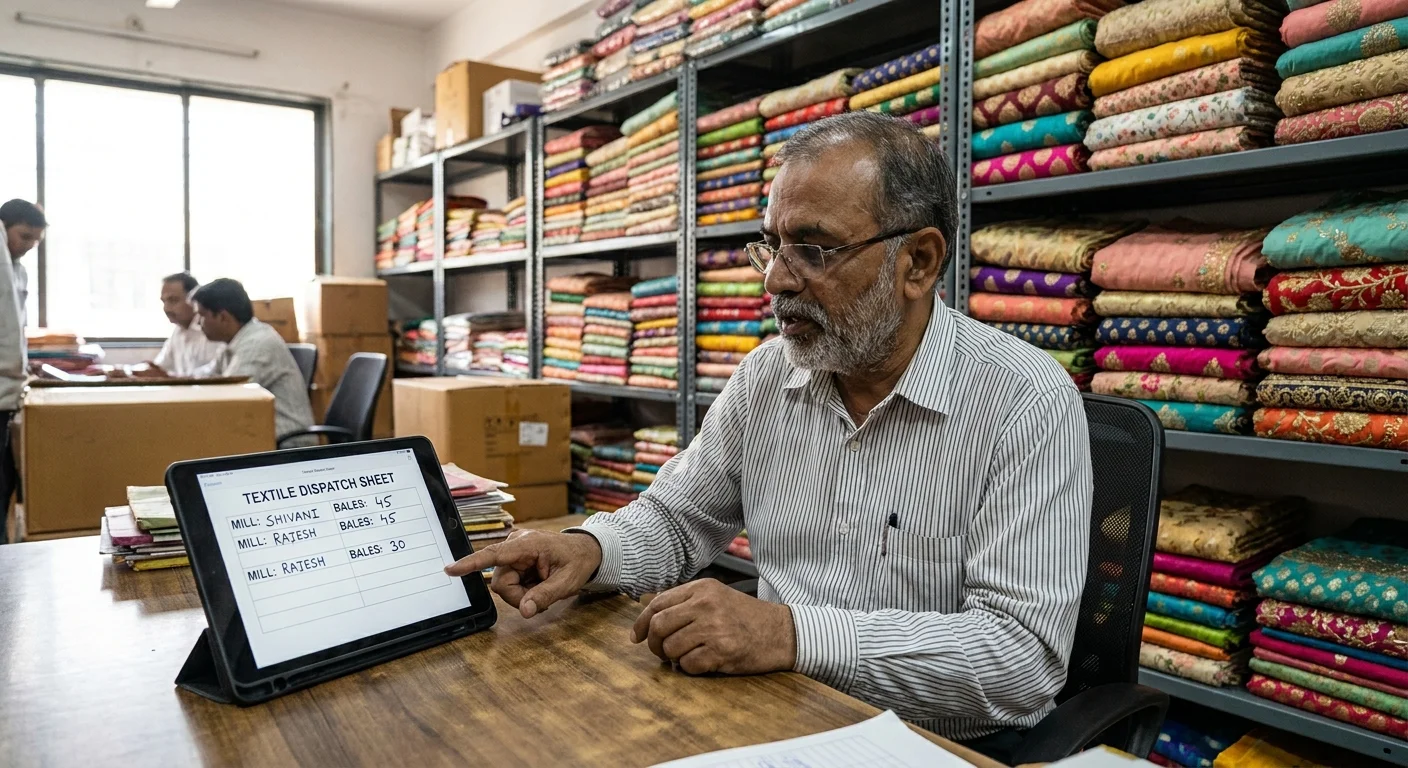
Once validated, the agency clicks Generate Dispatch Sheet. The software produces a clean, professional PDF or print-ready document formatted to the mill's exact needs.
It can also generate a structured text summary formatted specifically for instant sharing via WhatsApp Web to the mill’s sales representative or dispatch manager.
*DISPATCH INSTRUCTION - APEX TEXTILE AGENCY*
*Mill:* Shree Ram Processors
*Date:* 24-Oct-2023
----------------------------------------
*1. Party:* Vardhman Fabrics (Jaipur)
   *GST:* 08AAAAA0000A1Z5
   *Quality:* 60x60 Rayon (Sort #4012)
   *Design/Shade:* D-102 (Shade 3: 5 Bales, Shade 5: 5 Bales)
   *Rate:* ₹82/meter + GST
   *Transport:* Jaipur Road Lines (To-Pay)

*2. Party:* Royal Traders (Ahmedabad)
   *GST:* 24BBBBA1111B2Z2
   *Quality:* Cambric 40s (Sort #1088)
   *Design/Shade:* D-501 (Assorted 4 Shades: 5 Lumps)
   *Rate:* ₹64/meter + GST
   *Transport:* Local Tempo Pick
----------------------------------------
_Generated automatically via Innovra Order Form Manager_
Manual vs. Automated Dispatch Management: Operational Comparison
Switching from manual daily entry to automated grouping fundamentally changes evening office operations.
| Operational Area | Manual Ledger / Spreadsheet Workflow | Automated Fabric Order Booking System |
|---|---|---|
| Data Entry | Re-typed at least 2-3 times (Order slip -> Office register -> Mill dispatch note). | Entered once at the time of order confirmation; populated everywhere automatically. |
| Shade & Sort Accuracy | High risk of handwriting misinterpretations and transposed shade numbers. | Selected from locked mill catalogs; zero transcription errors. |
| GSTIN & Master Details | Manually copied from party lists; frequent typos on invoices. | Pulled directly from the verified Party Master file. |
| Consolidation Time | 1 to 2 hours of staff time every evening per mill group. | Instant (1-click generation of mill-wise sheets). |
| Mill Communication | Phone calls, scattered WhatsApp image snaps, typed messages. | Clean, standardized PDF dispatches and structured digital messages. |
| Order History & Traceability | Sifting through physical paper registers or old chat histories. | Instant searchable history by party, mill, design number, or date range. |
Operational Checklist for Implementing Textile Agent Software
To roll out an automated dispatch process in your agency without disrupting current trade operations, follow this implementation checklist:
[ ] Step 1: Clean and standardize Master Directories
    ├── Update Party Master (Full legal names, GSTINs, preferred transports, stations)
    └── Build Mill & Item Directory (Mills, sort numbers, active designs, shade codes)

[ ] Step 2: Establish strict daily order booking protocols
    ├── Enforce digital booking at the time of sale (no paper slips)
    └── Mandate required fields (Quantity unit, rate, shade codes, credit terms)

[ ] Step 3: Configure Mill Dispatch templates
    ├── Define required fields per mill (e.g., Meterage vs. Lump count)
    └── Set up output options (PDF layout, WhatsApp export format)

[ ] Step 4: Run parallel testing for 3 consecutive days
    ├── Cross-verify automated sheets against manual slips
    └── Confirm zero missing lines, incorrect rates, or bad GSTINs

[ ] Step 5: Switch to automated single-click dispatches
    └── Issue daily export directly to mill managers by target cut-off time
Wholesale Order Management Across Processing Units
Textile agencies frequently place orders with mills that outsource processing, dyeing, or printing to independent job-work processing units. In these operational setups, dispatch management becomes even more complex:
- Grey fabric must be ordered from Weaving Mill A.
- Dyeing and printing instructions must be sent to Processor B.
- Final packing and dispatch must be coordinated with Packing House C.
                           ┌────────────────────────┐
                           │   CENTRAL BOOKING      │
                           │ Innovra Order Manager  │
                           └───────────┬────────────┘
                                       │
        ┌──────────────────────────────┼──────────────────────────────┐
        ▼                              ▼                              ▼
┌────────────────────────┐    ┌────────────────────────┐    ┌────────────────────────┐
│ WEAVING MILL (Grey)    │    │ PROCESSOR (Dye/Print)  │    │ PACKING / DISPATCH     │
│ Issue Grey Delivery    │    │ Issue Processing Slip  │    │ Issue Final Bale       │
│ Note                   │    │ (Designs & Shades)     │    │ Transport Advice       │
└────────────────────────┘    └────────────────────────┘    └────────────────────────┘
A manual workflow struggles under this complexity, often resulting in grey cloth sitting idle at the processor because the processing sheet (design/shade breakdown) was sent late or separated from the grey transit advice.
Multi-point dispatch coordination
With wholesale order management built into Innovra Order Form Manager, a single booked fabric order generates separate, specialized instructions for each operational stage:
- Grey Delivery Note: Sent to the weaving mill, specifying the number of thans or grey meters to deliver to the designated processor.
- Processing Instruction: Sent directly to the dyeing/printing house, containing exact design numbers, shade splits, finish instructions (e.g., hard finish, soft finish, silicon wash), and final cut-piece length.
- Final Dispatch & Transport Advice: Sent to the mill’s final dispatch desk, detailing party billing addresses, e-way bill requirements, transport agency instructions, and freight payment terms.
By decoupling production instructions while keeping them tied to a single central order ID, textile agents ensure that every unit in the supply chain works from identical, verified data.
Frequently asked questions
Can dispatch sheets be sent directly to mill representatives via WhatsApp?
Yes. Systems like Innovra Order Form Manager generate both clean PDF documents for formal printing or email attachments, as well as pre-formatted text summaries designed specifically for WhatsApp. Your office team can copy and paste or share structured dispatch text directly into WhatsApp chats with mill representatives without retyping any party or item details.
How does the system handle orders with multiple shade numbers under one design?
The digital order form structure allows you to list multiple shades and their specific quantities under a single design line item. For example, under Design D-102, you can specify Shade 1 (2 bales), Shade 3 (5 bales), and Shade 7 (3 bales). When the mill dispatch sheet is generated, the software breaks down these shade quantities clearly so the mill’s packing department can select and pack the exact assortment required.
What happens if a mill dispatches a partial quantity instead of the full order?
When a mill reports a partial dispatch (for instance, shipping 6 bales out of a 10-bale order due to stock limits), the system records the quantity shipped against the original order number. The remaining 4 bales stay on the active pending list. When you generate the next daily dispatch sheet for that mill, the system continues to reflect the balance quantity until the order is completely fulfilled or closed out.
Is constant internet access required for field salesmen taking order slips in the market?
While a network connection is required to sync new orders to the central system in real time, modern digital forms allow salesmen to record order details even when connectivity drops temporarily in crowded textile markets or basement godowns. The saved orders sync automatically as soon as the device reconnects to a mobile network or Wi-Fi, ensuring no orders are lost during market rounds.
Streamline Your Daily Dispatch Workflow
Replacing manual evening ledger entries with an automated textile dispatch process eliminates the late-night rush, removes transcription errors, and ensures your orders are processed by mills without delay.
If you manage a textile commission agency, trading house, or fabric wholesale business, explore how Innovra Order Form Manager can help you capture structured orders and generate single-click daily mill dispatch sheets. Visit Innovra Order Form Manager to learn more, or contact our team to set up a practical workflow demonstration tailored to your market setup.